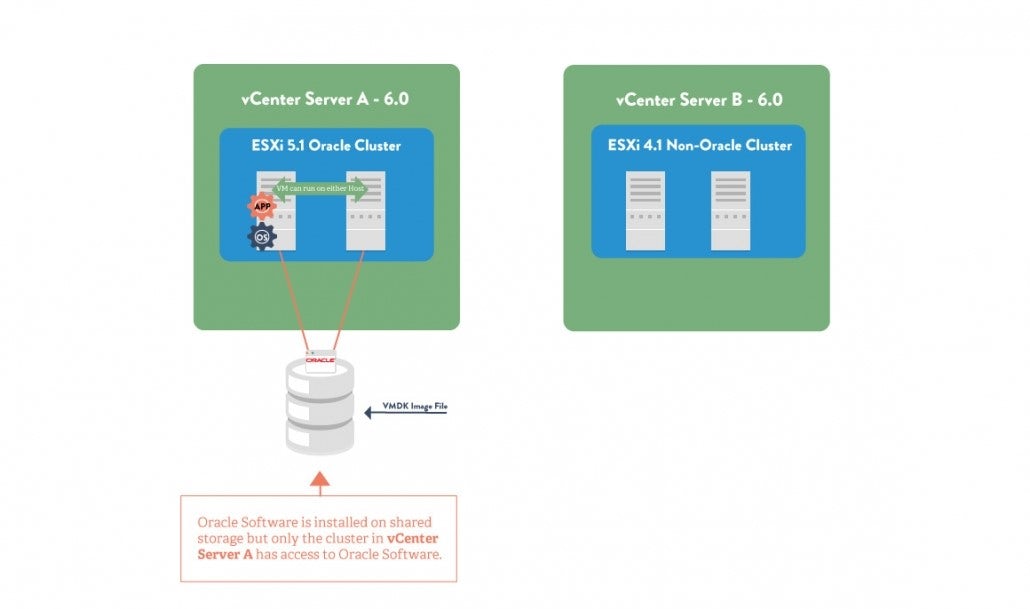
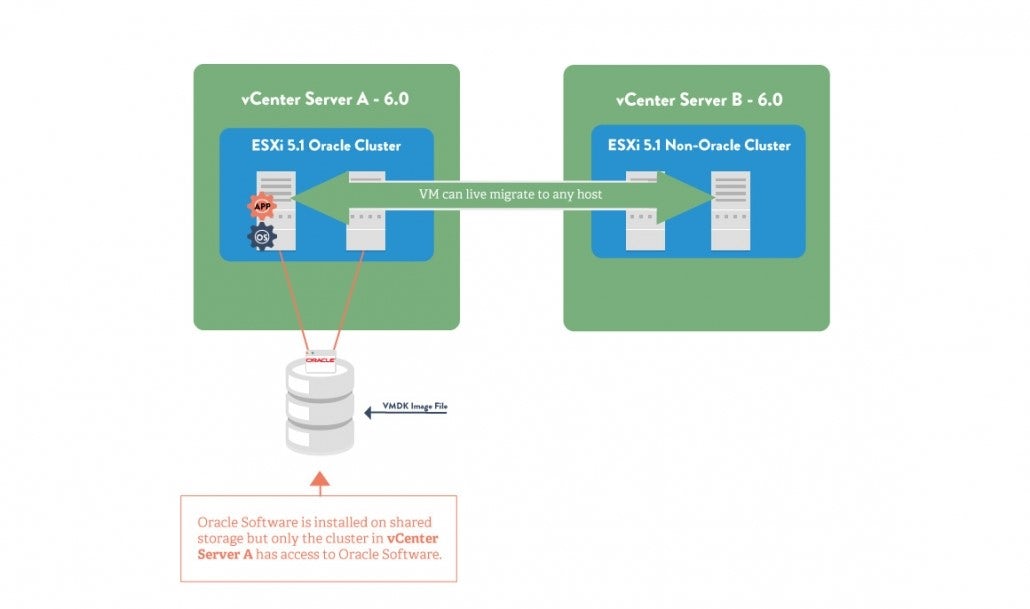
Virtualization in general and more specifically VMware, as one of the market leaders in virtualisation software, is becoming increasingly important in end-users' IT environments. It is therefore important to understand how the different VMware virtualisation technologies impact the number of Oracle software licences that is required.
Oracle’s Technology software programmes (e.g. Database and Middleware) are typically licenced on a “Processor” licencing model or on a “Named User Plus” licencing model. According to the licence metric definitions of these licences as defined in the Oracle Licence and Services Agreement or Oracle Master Agreement, the software is required to be licenced “where the Oracle programmes are instaled and /or running”.
But what does this mean in practise when virtualisation technologies from VMware are being used? In most cases, end-users will instal the Oracle software in the vmdk file which is stored on a storage device that has many servers connected to it. This is referred to as shared storage. So how do you determine the number of licences required for the different versions of VMware’s virtualisation software and more specifically for vCentre 6.0? Before looking into the details of licencing Oracle software in VMware’s vCentre 6.0, let’s do a short recap on the licencing rules for the pre-6.0 scenario’s, as they will be applied by Oracle during the course of an Oracle Licence Review or Licence Audit.